
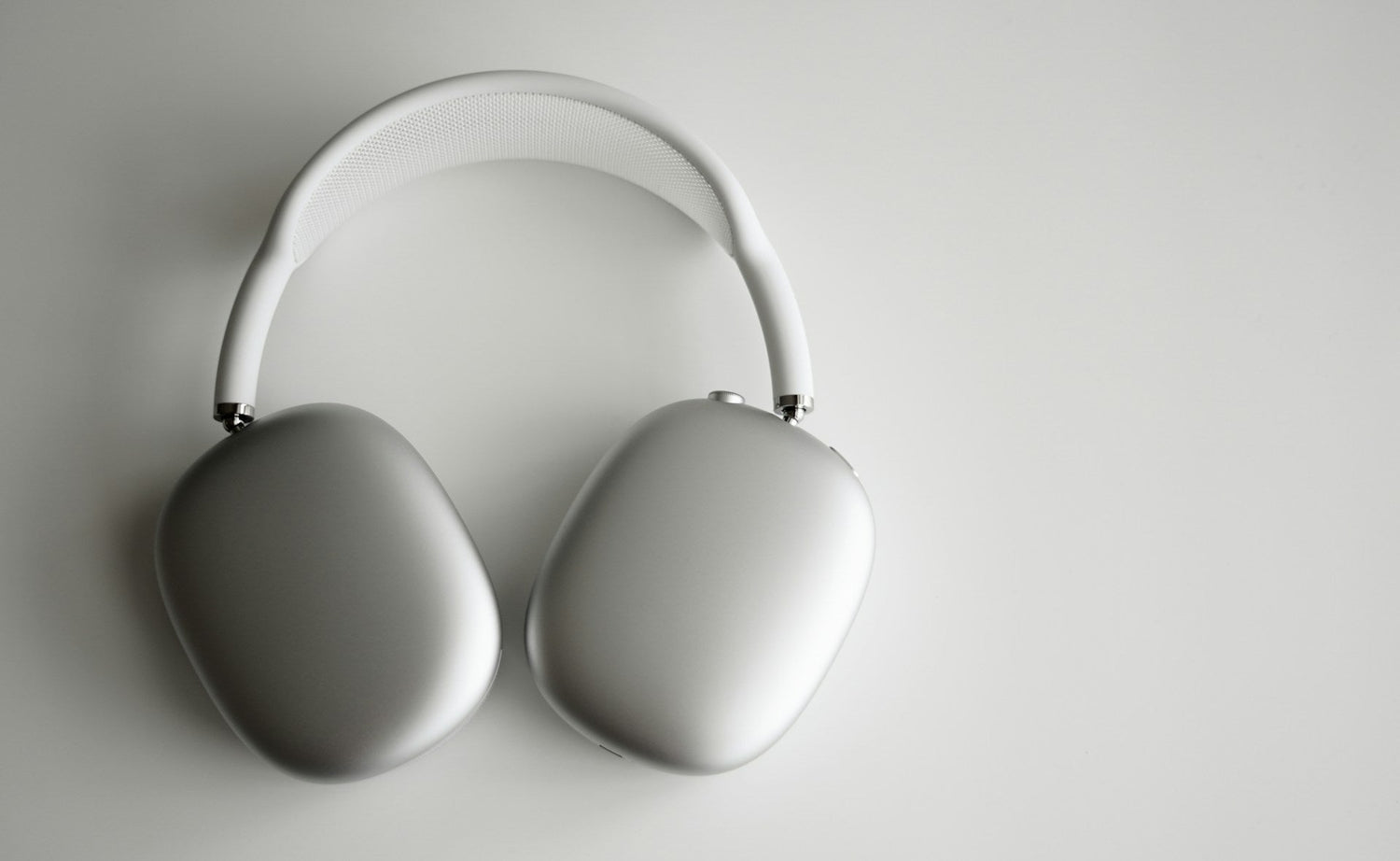
Stop Noisy Flights and Commutes From Ruining Your AirPods Max
AirPods Max noise canceling can go from stable to inconsistent over time, especially once the original ear cushions start to wear. On airplanes and trains, small changes in the ear cushion seal or blocked vents can make the cabin sound louder and bass feel thinner, even if the firmware has not changed.
Active noise canceling (ANC) on AirPods Max depends heavily on a few physical parts that are replaceable or maintainable:
- The snap‑in magnetic ear cushions
- The inner cup mesh and surrounding seals
- External and internal microphone ports
- Small vents and pressure‑relief openings around the cups
When these parts are in good condition and kept clean, ANC usually feels close to what you experienced when the headphones were new. When cushions are worn or vents are dirty, ANC performance often drops noticeably, especially in low‑frequency noise such as aircraft engines and road rumble.
How AirPods Max Ear Cushions Affect Noise Canceling
On AirPods Max, the ear cushions do more than add comfort. Each cushion forms a controlled acoustic chamber around your ear. That chamber is what the ANC system is tuned for.
Each AirPods Max cushion includes:
- A rigid magnetic ring that locks into the cup
- A foam body with a specific height and density
- A fabric surface designed to grip gently against your skin
When the foam is fresh and the side walls are tall and uniform, the pads seal evenly around your ear and along your jaw. This creates a stable volume of air inside the cup. The microphones and firmware are tuned around that volume.
As the cushions age, you commonly see:
- Compression/flattening along the bottom edge where the cup rests on your jaw
- A shiny, slick contact surface from skin oils and sweat
- Softer, slower‑rebounding foam that does not spring back to its full height
All of these changes let more low‑frequency noise leak into the chamber. ANC is still working, but it now has to cancel sound that is sneaking in through gaps instead of only through the cup and vents. The real‑world effect is weaker engine noise reduction and reduced bass impact.
Simple At‑Home Tests to Identify Cushion Seal Problems
Before assuming a firmware or electronics fault, it is useful to run a few specific tests that focus on the physical parts you can inspect and replace: mainly the ear cushions and the vents.
1. Quiet Room Press Test
- Sit in a quiet room and turn ANC on.
- With your fingers, gently press each cup straight in toward your head.
- If pressing the cups makes the ambient noise drop and bass become noticeably stronger, the original cushions are likely no longer sealing properly, or the clamp force combined with worn pads is too low.
This test is very sensitive to worn bottom edges of the pads. If you feel air movement or hear a change when you press near the lower half of the cup, that area of the cushion is often the first to fail on AirPods Max.
2. Left/Right Cushion Swap Test
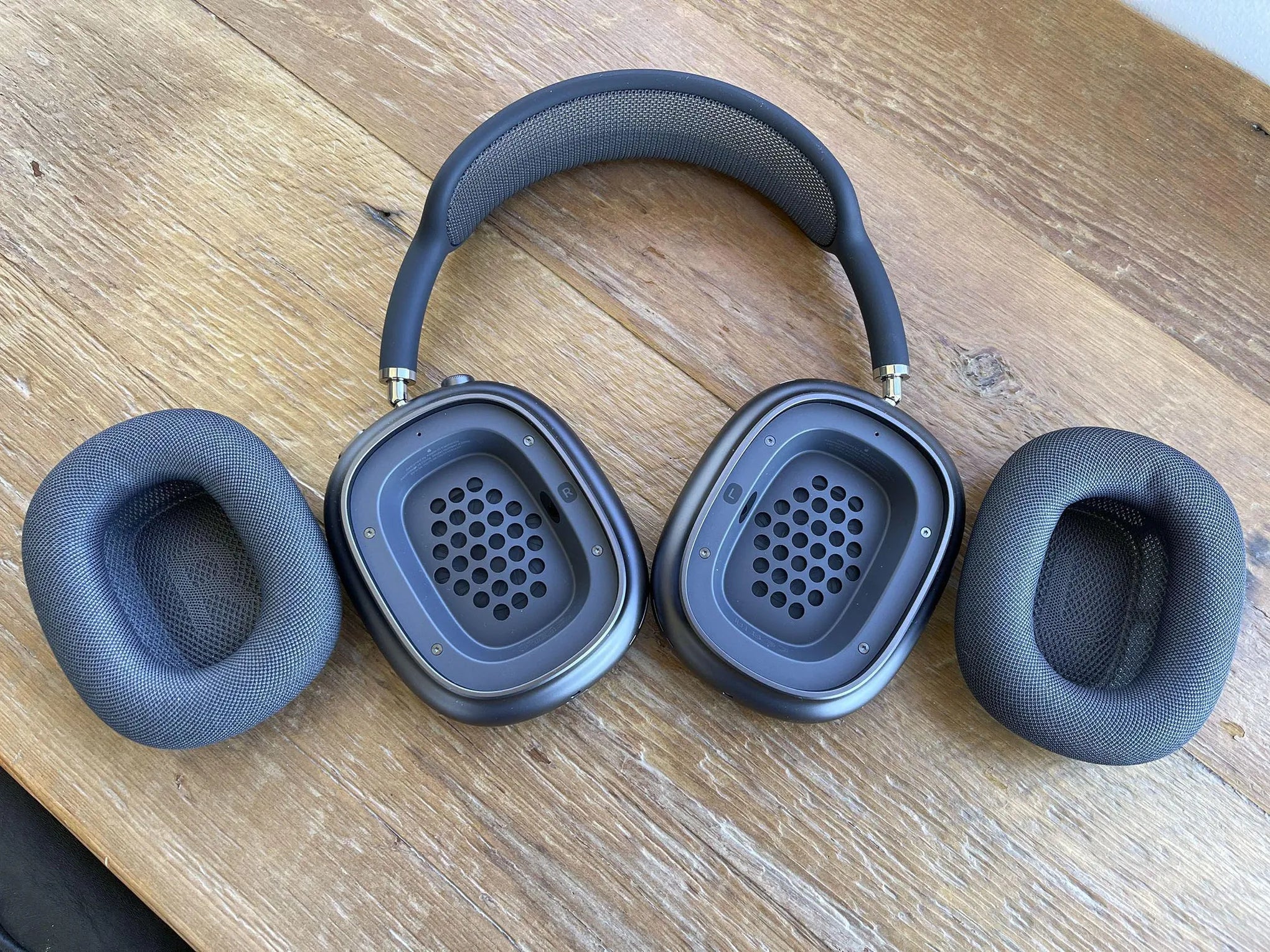
- Carefully pull each cushion off; they detach magnetically.
- Swap the left cushion onto the right cup and the right cushion onto the left cup.
- Put the headphones back on and listen to ANC in a steady noise environment (for example, near an air conditioner or fan).
If the “bad” side follows the cushion to the other ear, that strongly indicates the problem is in the cushion itself, usually foam collapse, fabric fatigue, or a slight deformation of the magnetic ring area. If the issue stays with the same ear cup, the problem may instead involve vents or microphones on that side.
3. Visual and Feel Inspection of AirPods Max Cushions
Remove each cushion and inspect it closely:
- Check the side walls for height differences front‑to‑back and top‑to‑bottom.
- Look for clear flat spots, especially along the bottom where the cushion bears the most load.
- Inspect the seam where the fabric surface meets the side wall for wrinkles, waves, or gaps.
- Gently squeeze the cushion and watch how quickly it returns to its original shape.
Healthy cushions have:
- Uniform height around the entire perimeter
- A matte surface that still has light texture and grip
- Foam that returns to shape promptly instead of slowly creeping back
If the pads feel mushy, slow, or overly slick, they are more likely to leak low frequencies and compromise ANC, particularly on flights and long commutes.
Common AirPods Max Cushion Wear Patterns
From a parts perspective, AirPods Max cushions typically fail or degrade in a few predictable ways:
- Bottom‑edge collapse: the lower section compresses first, breaking the seal along the jawline.
- Temple gaps with glasses: rigid eyeglass arms carve a channel through the cushion, which can become a permanent shallow groove over time.
- Surface glazing: repeated contact with skin oils and sweat makes the fabric feel smoother, and it grips the skin less effectively, especially in warm weather.
These are all issues that a fresh pair of replacement cushions can directly address.
Fit, Head Shape, and Glasses: When It’s Not the Cushion Alone
Even with new cushions, some users will notice ANC instability because of fit and head shape.
You may be dealing with a fit‑driven issue if:
- ANC improves or degrades when you tilt your head slightly forward or backward.
- Noise canceling changes noticeably when you chew, yawn, or talk.
- Sliding the headband up or down causes ANC to “lock in” or “fall apart.”
Thicker eyeglass or sunglasses frames are a common source of seal breaks. On AirPods Max, the temple area is especially sensitive. A straight, rigid frame can hold the cushion away from the skin and create a consistent channel for engine noise.
For a quick glasses‑related check:
- Play steady broadband noise (for example, an aircraft cabin sound sample).
- Wear your glasses in the usual position and listen with ANC on.
- Slowly move the frames higher and lower on your ears and observe how ANC and bass change.
- If possible, remove the glasses briefly and compare.
If removing glasses or changing their position produces a large improvement, your cushions and ANC system are functioning; the glasses are simply opening a leak. In these cases, slightly taller or firmer replacement cushions can sometimes help maintain a better seal around the frames.
Checking Microphone Ports and Vents for Blockages
Each AirPods Max cup has several precisely placed openings:
- External microphone ports that measure outside noise
- Internal microphone openings that sample sound near your ear
- Vents that equalize pressure and stabilize ANC behavior
Lint from cases, fibers from hats, dust, and makeup can collect around these areas over months of use.
A simple comparison test:
- Choose a stable noise source such as a fan, AC unit, or white‑noise track.
- With ANC on, gently place a fingertip over one external mic port or vent at a time.
- Note whether covering a specific hole causes ANC to fluctuate or sound unnatural.
- Compare behavior between the left and right cups.
If one side reacts very differently, that can indicate that particular vent or mic area is more sensitive, and possibly more affected by debris.
For basic maintenance of these parts:
- Remove the ear cushions.
- Use a dry, soft brush (such as a clean camera lens brush) to loosen lint around grills and openings.
- Wipe surfaces carefully with a dry microfiber cloth, taking care not to push debris deeper into the ports.
This process does not repair electronics, but it often restores clean air paths so the ANC system can operate closer to its original design.
When It’s Time to Replace AirPods Max Ear Cushions
Because cushions are a wearable part, they are intended to be replaced periodically, especially if you commute daily or fly frequently.
Clear indicators that replacement is appropriate:
- The bottom or rear edge of one or both cushions looks visibly compressed compared with the top.
- The side wall height of the cushion has shortened enough that your ear feels closer to the driver cover than it did when new.
- The contact surface feels smooth and shiny rather than softly textured.
- The quiet room press test consistently improves isolation and bass, even after cleaning vents and checking fit.
Replacing the cushions restores the designed ear‑to‑driver distance and the intended seal geometry, which directly supports ANC performance.
What to Look for in Replacement AirPods Max Cushions
When selecting replacement cushions for AirPods Max, a few design details are critical:
- Magnetic ring accuracy: The integrated magnetic frame should align flush with the cup and snap in cleanly, without rocking or misalignment. If the frame does not seat evenly, the perimeter seal can be inconsistent.
- Foam density and height: Foam that is too soft collapses quickly, while foam that is too firm can feel uncomfortable and may not conform well to jawlines and glasses. A balanced density with slightly increased structural support along the lower edge can help maintain a more reliable seal.
- Side wall structure: A well‑supported side wall resists long‑term compression, especially at the points where clamp force is highest. This helps keep the ear‑to‑driver distance stable over time.
- Surface fabric and grip: The fabric should provide a light, consistent grip against the skin without feeling sticky. Slight texture can reduce micro‑slips that break the seal during chewing or head movement.
Upgraded cushions that focus on these factors can improve passive isolation and give the ANC system a more predictable acoustic environment, particularly on long flights or daily train rides.
See our AirPods Max ear cushions next to the originals:
Maintenance Habits to Keep AirPods Max Cushions Performing Well
Because cushions are wear items, a simple maintenance routine can extend their useful life:
- After long sessions in warm weather, allow the cushions to air out before storing the headphones in a closed case.
- Wipe the cushion surfaces gently with a slightly damp (and then immediately dried) microfiber cloth to remove surface oils; avoid soaking the fabric.
- Periodically remove the cushions and brush around inner cup edges and vents.
- Inspect the bottom edge of each cushion monthly for early signs of compression.
For frequent travelers, replacing AirPods Max cushions roughly every 12 to 18 months (or sooner if the above wear signs appear) helps keep ANC performance closer to the original out‑of‑box experience.
Headband worn out too? Here is how to replace it:
How CentralSound Parts Support Better AirPods Max ANC
At CentralSound, the focus is on designing and engineering upgraded replacement parts and premium ear pads for headphones, including AirPods Max. Replacement cushions are developed with attention to:
- Consistent magnetic ring fit for secure attachment
- Foam profiles that support the jawline and work better with glasses
- Materials selected to maintain shape through daily use and hot‑weather travel
By treating ear cushions as a regular, replaceable part, similar to tires on a car or pads on frequently worn shoes, you can prevent most of the gradual ANC decline that many AirPods Max users notice on flights and commutes. When testing shows that fit is correct, vents are clean, and firmware is current, but ANC still feels weaker, installing a fresh set of well‑engineered replacement cushions is often the most direct and reliable fix.
Refresh Your AirPods Max Comfort And Sound Today
If your AirPods Max are starting to feel less comfortable or sound a bit off, we can help you bring them back to their best. Explore our carefully selected AirPods Max ear cushions to restore a like-new fit and listening experience. At CentralSound, we focus on quality parts that are easy to install and built to last. If you have questions about compatibility or installation, contact us and we will help you choose the right option.

Leave a comment
This site is protected by hCaptcha and the hCaptcha Privacy Policy and Terms of Service apply.