
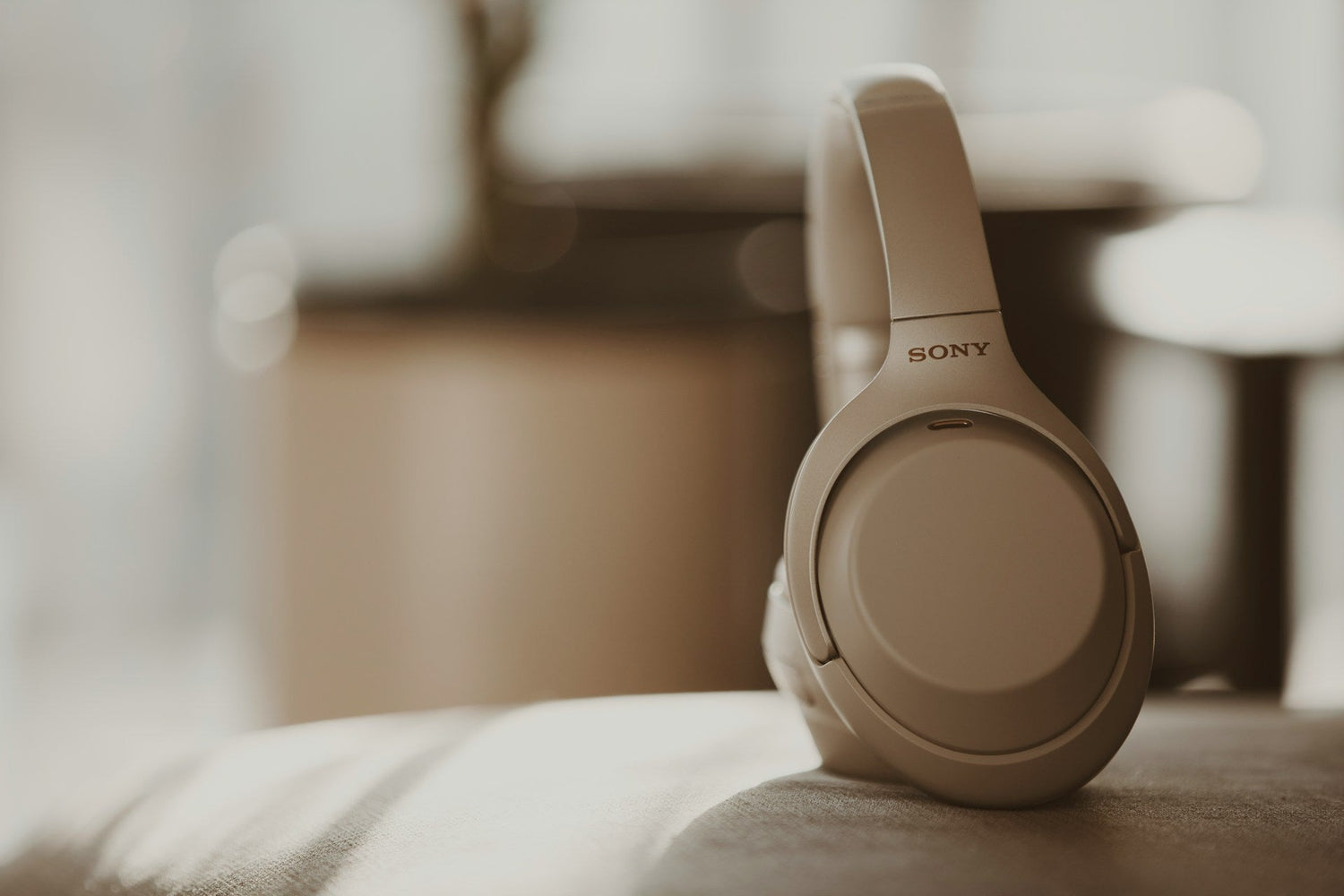
Stop Guessing Battery Life and Start Doing the Math
Sony WH-1000XM3, WH-1000XM4, and WH-1000XM5 batteries almost never fail overnight. Their internal lithium‑ion cells lose capacity gradually with every charge and discharge cycle. High ambient heat, long active noise cancelling (ANC) sessions, and frequent top‑up charging all accelerate that wear. After a couple of years, what started as an "all‑day" pair of headphones can feel more like a "half‑day" pair.
Instead of relying on guesses, you can look at Sony headphone battery replacement for these models as a simple, numbers-driven decision. How many extra hours of listening can a fresh cell realistically restore on a WH‑1000XM3 vs. a WH‑1000XM4 or WH‑1000XM5? How does that translate into cost per hour, and how much can it improve resale value? At what point is it more efficient to replace the battery and ear pads than to buy a new flagship?
Below is a practical, step‑by‑step way to measure your current battery performance and estimate the return on investing in replacement parts only (battery and pads), without changing how you use your headphones.
How Much Runtime You Really Lost (XM3 vs. XM4 vs. XM5)
When new, these Sony models are known for strong battery life with ANC on:
- WH‑1000XM3: Sony rates up to about 30 hours with ANC on, roughly 38 hours with ANC off.
- WH‑1000XM4: Similar rated figures to XM3, roughly 30 hours with ANC on, up to about 38 hours with ANC off, but with additional features like Speak‑to‑Chat and multipoint that can nibble at runtime if always enabled.
- WH‑1000XM5: Rated up to around 30 hours with ANC on and up to 40 hours with ANC off, with a more efficient ANC system and revised driver/amp tuning.
Real‑world runtime depends on volume, codec (SBC/AAC/LDAC), environmental noise, and feature usage (Quick Attention, ambient modes, adaptive ANC, etc.), but the typical early‑ownership experience for all three models is “more than enough battery for a full workday or a long flight.”
As usage accumulates, the cell inside the right earcup (where the battery is located on these models) gradually loses capacity. Heavy daily users often start to notice a drop in runtime after the first year. By the second or third year, the pattern often shifts from:
- WH‑1000XM3: from "charge every few days" to "charge every day or more," with more rapid percentage drops below ~40%.
- WH‑1000XM4: from “comfortable all‑day with ANC” to fatigue near the end of long 8, 10‑hour office days, especially with LDAC enabled.
- WH‑1000XM5: degradation is sometimes less obvious early on due to its more efficient ANC, but once the battery is worn, the final 20, 30% can drain very quickly.
To stop guessing, you can run a simple repeatable test at home for your exact pair.
At‑Home Runtime Test
1. Charge the headphones to 100%.
2. Set the volume to your typical listening level (for example, ~50, 60% in the Sony Headphones Connect app).
3. Set ANC to the mode you use most, usually full ANC on.
4. Use the same codec each time (e.g., LDAC on or off) to keep conditions consistent.
5. Start playing a long playlist, podcast loop, or noise file, and start a timer.
6. Let the headphones run until they automatically power off.
7. Record the total hours and minutes.
To improve consistency:
- Run the test at normal room temperature (avoid hot cars or direct sun on the headphones).
- Start from a similar low battery level each time you charge for the test, ideally under 10%.
- Don’t change volume, ANC mode, or codec during the test.
This gives you a concrete baseline: for example, you might find that your WH‑1000XM3, which were close to 28, 30 hours with ANC on when new, now only manage 13, 15 hours under the same conditions.
Model‑Specific Battery Degradation Feel
While all three share similar rated specs, degradation feels slightly different by model:
- WH‑1000XM3: Earlier ANC tuning and power management mean capacity loss can feel more abrupt after 2, 3 years, especially if you use high volume and LDAC. Users often report sudden drops from ~40% to shutdown.
- WH‑1000XM4: Added convenience features (Speak‑to‑Chat, Adaptive Sound Control) can reduce effective runtime when always on. As the battery ages, you may find these features push you below a full workday unless you disable some of them.
- WH‑1000XM5: More efficient ANC and a revised amplifier stage help mask early capacity loss. However, heavy ANC and high volume in hot environments (summer commuting, flights) still stress the battery. Once it’s worn, percentage readings may become less predictable, and fast drain in the last quarter of the battery is common.
Sony WH‑1000XM3/XM4/XM5 Battery Replacement ROI Calculator
Once you know your measured runtime, you can use a basic return‑on‑investment style framework focused on parts only. The goal is to estimate cost per extra hour of listening you gain from a replacement battery (and, optionally, pads) compared with continuing to use the worn battery.
1) Estimate Your Current Runtime
Use your test result for the conditions you care most about (for most users, ANC on, typical volume, and usual codec). Examples:
- WH‑1000XM3: currently 12 hours with ANC on (down from ~28 hours when new).
- WH‑1000XM4: currently 16 hours with ANC on, LDAC, constant office use.
- WH‑1000XM5: currently 20 hours with ANC on (down from ~28, 30 hours when new under similar conditions).
2) Estimate Post‑replacement Runtime
A fresh, model‑correct replacement battery can’t reverse general electronics aging, but it can restore runtime close to the original rated range if the rest of the circuitry is healthy. A conservative way to estimate:
Assume 80, 90% of the Original Real‑world Runtime after replacement, provided you keep settings the same.
Example estimates:
- WH‑1000XM3: expect ~22, 26 hours ANC‑on after a fresh cell if you once got ~28 hours.
- WH‑1000XM4: expect ~24, 28 hours ANC‑on under conditions that used to give ~30 hours.
- WH‑1000XM5: expect ~24, 30 hours ANC‑on, depending on volume and codec.
3) Add up Your Parts Cost
For these models, parts expenses typically include:
- Model‑specific Replacement Battery (for example, a WH‑1000XM3‑compatible pack with the correct connector and dimensions for the right earcup cavity).
- Basic Disassembly Tools such as plastic pry tools, a small Phillips screwdriver, and tweezers.
- New Ear Pads if the originals are peeling, cracking around the seams, or heavily compressed.
You do not need to factor in any third‑party repair labor if you are only evaluating the cost of parts.
Turning These Numbers Into Cost Per Extra Hour
Once you have those three ingredients, you can approximate cost per extra listening hour. Use this pattern:
1. Extra Hours Per Charge = (post‑replacement runtime) − (current runtime).
2. Expected Future Full Charges = estimate how many times you will fully cycle the headphones after replacement (for example, 150, 250 full cycles over 2, 3 more years of use).
3. Total Extra Hours = (extra hours per charge) × (expected future full charges).
4. Cost Per Extra Hour = (total parts cost) ÷ (total extra hours).
Concrete example, WH‑1000XM4:
- Current measured runtime: 15 hours ANC‑on.
- Post‑replacement estimate: 26 hours ANC‑on.
- Extra hours per charge: 26 − 15 = 11 hours.
- Expected additional full charges after replacement: 200.
- Total extra hours ≈ 11 × 200 = 2,200 hours.
- Parts cost: $X for a battery + $Y for pads (if needed) + $Z for tools (if not already owned).
- If total parts are, for instance, $60, cost per extra hour ≈ $60 ÷ 2,200 ≈ $0.027 per hour.
Even with rough numbers, this makes it clear whether a replacement battery and pads for your exact Sony model deliver good value for how much you actually listen.
Matching ROI to Your Listening Pattern
Different usage patterns change how valuable those extra hours become:
- Daily Commuter (2, 3 Hours/day): If your WH‑1000XM3 or WH‑1000XM4 now need charging every other day and occasionally die on the way home, gaining an extra 8, 12 hours per charge significantly reduces anxiety and charging frequency.
- Office Worker (6, 8 Hours ANC Per Day): For WH‑1000XM4 or WH‑1000XM5 users in open offices, restoring enough runtime to comfortably cover a full workday plus some margin is often the key threshold.
- Occasional Traveler: If your current WH‑1000XM3 still make it through your longest flight plus airport time, the cost‑per‑hour math may not justify immediate replacement. However, if they frequently shut down in the last hour of a flight, the ROI of a new battery can be high even for infrequent use.
You can also compare that cost‑per‑extra‑hour figure to the cost of buying a new midrange ANC model or another flagship Sony, keeping in mind that buying a new headset resets accessory costs (pads, case, etc.) and may not dramatically change your core use case if you’re satisfied with the XM3/XM4/XM5 sound and ANC.
Resale Value and Battery Condition
Battery health directly affects how others evaluate your used WH‑1000XM3, WH‑1000XM4, or WH‑1000XM5:
- Short runtime or unpredictable shutdowns usually lead to more questions, lower offers, or buyers skipping the listing.
- Clear information about a recent battery replacement and fresh pads signals that the headphones were maintained rather than neglected.
Details that help in listings:
- State the Tested ANC‑on Runtime using the method above.
- Mention Recent Parts, such as "battery replaced in 2025" and "ear pads replaced recently."
There are also indirect costs to leaving the original, worn battery in place:
- Carrying a power bank or cable constantly.
- Charging far more often, consuming the remaining healthy cycles more quickly.
- Risk of shutdown during flights, calls, or focus sessions.
- Being pushed into buying a new headset sooner than you intended solely because of runtime, even though you are satisfied with the sound and features of your current Sony model.
When you eventually sell, a WH‑1000XM3, WH‑1000XM4, or WH‑1000XM5 with a documented battery replacement and clean pads typically attracts more interest than one with unknown battery condition and visibly worn cushions.
When Replacing the Battery Makes More Sense Than Upgrading
It’s natural to consider jumping to the next generation (for example, from WH‑1000XM3 to WH‑1000XM5). Newer models often bring updated ANC performance, revised microphone arrays, and occasionally new codec or app features.
You can think in terms of two thresholds:
- Runtime Threshold: If a replacement battery can reasonably restore enough ANC‑on runtime to cover your longest typical day with a comfortable buffer, parts replacement often wins on value. Example: If your WH‑1000XM4 can return to ~24, 26 hours ANC‑on, and your heaviest day is 10, 12 hours, a fresh battery plus pads may be more sensible than a full upgrade.
- Feature Threshold: If you specifically need features your current model cannot receive through firmware, such as particular microphone improvements or newer Bluetooth profiles that matter for your workflow, then a new headset may be more justifiable.
In many everyday scenarios, a refreshed older model still holds up well:
- WH‑1000XM3: Solid ANC for flights and commutes, familiar physical controls, and sound quality that many users still prefer.
- WH‑1000XM4: Similar ANC performance with multipoint and smart features, which remain competitive if you’re primarily using standard streaming codecs.
- WH‑1000XM5: Lighter build, more advanced ANC, and efficient power management, which makes restoring the battery particularly attractive if you already like the fit and tuning.
Seasonal timing also matters. For example:
Before peak travel seasons, restoring runtime on an older WH‑1000XM3 or WH‑1000XM4 may be more cost‑effective than buying a new model at full price.
Before major sale periods, some users refresh the battery and pads to stabilize performance and resale value, then decide later whether to keep or sell.
Throughout these decisions, the focus is on the parts themselves, battery packs, ear pads, and headband cushions, so you can extend the life of Sony headphones you already like without relying on any external repair service.
Common Battery and Pad Wear Patterns on WH-1000XM3/4/5
A few recurring issues often push owners to consider replacement parts:
Battery‑related Signs:
- Headphones switch off suddenly when the reported charge is still 10, 20%.
- Runtime drops sharply in cold or very hot environments.
- Charging seems to reach 100% very quickly, but actual playback is short.
Ear Pad Wear:
- Flaking or peeling synthetic leather on WH‑1000XM3 and WH‑1000XM4 pads.
- Compressed padding that reduces passive isolation, causing you to raise volume and stress the battery more.
- For WH‑1000XM5, visible creasing of the pad faces or seam separation.
Replacing these wear parts together, battery plus pads, often makes the headphones feel much closer to new in daily use, without changing the fundamental sound signature or clamp force you are used to.
Turn Your Runtime Math Into a Clear Next Step
Once you’ve measured your current runtime and sketched a post‑replacement estimate, you can follow a simple workflow:
1. Test your current ANC‑on runtime using your normal settings.
2. Estimate post‑replacement hours at around 80, 90% of the original runtime for your model.
3. Calculate cost per extra hour using your specific parts costs and expected future charge cycles.
4. Compare that to the cost and benefits of moving to a newer headset.
5. Factor in how a fresh battery and pads improve resale value versus selling your Sony headphones as‑is.
If your WH‑1000XM3, WH‑1000XM4, or WH‑1000XM5 still meets your needs in terms of sound, comfort, and features, replacing the battery and cushions is similar to replacing tires on a car: you keep a system you already like and restore the wear components, rather than discarding the entire product because of a single aging part.
By treating Sony headphone battery replacement as a specific, numbers‑based decision focused on parts, you can get more controlled, predictable value out of each generation of WH‑1000X headphones before deciding whether and when to move on to a newer model.
Keep Your Sony Headphones Performing At Their Best
If your favorite pair is not holding a charge like it used to, we can help you with fast, reliable Sony headphone battery replacement. At CentralSound, we stock quality parts so you can restore your headphones instead of replacing them. If you have questions about compatibility or the right part for your model, contact us and we will guide you through the next steps.


Leave a comment
All comments are moderated before being published.
This site is protected by hCaptcha and the hCaptcha Privacy Policy and Terms of Service apply.