
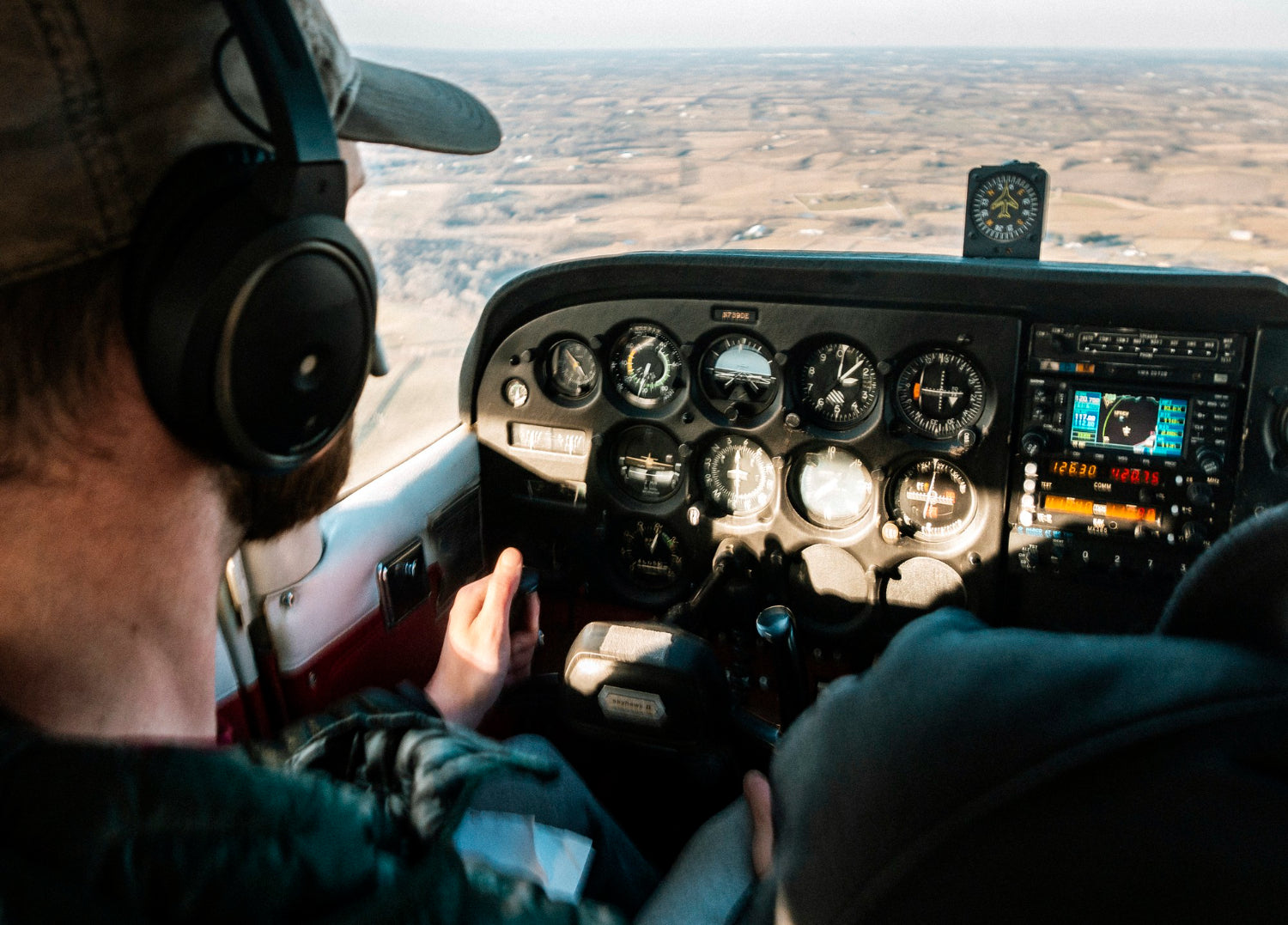
If your Bose A20 aviation headset ear cushions feel loose, uneven, or just off somehow, you’re not alone. These cushions take a beating over time, especially if you’re logging hours regularly. When they stop sealing the way they should, you’ll notice it: comfort drops, outside noise creeps in, and audio clarity suffers. Sometimes it starts small, maybe one edge lifting slightly or a cushion that shifts when you move your head, and then gradually gets worse.
This happens with both original cushions and aftermarket replacements. Cold, dry winter air doesn’t help either, as foam behaves differently in lower temperatures, especially on those flights where you really need your headset to stay put. If you’ve got a busy flying season ahead, it’s worth taking a few minutes to check whether your A20 is actually sealing the way it should.
Check for Common Fit Issues
Loose cushions aren’t just uncomfortable; they mess with your noise isolation and audio clarity, too. If your pads aren’t sitting right, here are a few things that might be going on:
• Third-party cushions don’t always match OEM dimensions exactly, which can result in a fit that’s either too loose or uncomfortably tight
• Cushions that aren’t seated evenly around the mounting ring tend to shift under pressure or pop off at the worst possible moment
• Years of use (or repeated cushion swaps) can gradually wear down the plastic flanges that hold everything in place
The tricky part is that these problems can sneak up on you. One day, you realize you’ve been adjusting your headset constantly, or one ear feels noticeably different from the other. By then, the issue has usually been building for a while.
Confirm Cushion Compatibility with Your Headset
Not all Bose A20 aviation headset ear cushions are shaped the same, even if they're listed as compatible. Over the years, Bose has made small adjustments to the headset that most people wouldn’t spot unless comparing side by side. Mounting surfaces, foam type, and clip positions can differ slightly between production runs.
Before buying or installing new cushions, check the details on the cushion shape and how it matches your specific headset build. Something as small as a slightly different clip location or varied foam thickness can affect the final fit. Look for clues around the headset frame or refer to photos and specs that match your exact model to avoid a mismatch that leads to cushion slippage or gaps around the ear seal.
How Cold Weather and Storage Habits Affect Ear Cushion Fit
During winter, cold and dry air can have more impact on headset parts than most people realize. Foam padding doesn’t always bounce back the same way in lower temps, making it stiffer or tighter than it feels during warmer months. In some cases, that difference in flexibility can cause ear cushions to shrink slightly or feel more brittle.
Traveling with your headset stuffed into a tight slot or tossed into a backpack can also misshape the ear cushions. When foam stays compressed unevenly, it starts to form to that pressure, changing how evenly it fits to the headset later.
We recommend making a habit of these simple steps:
• After flights, store the headset in its padded case when possible
• Avoid leaving headsets in cold cars or luggage compartments for long periods
• Before each use, check that the pads feel soft and rebound without sticking or cracking
These habits go a long way when you’re flying often through the colder months and want your cushions to stay in working shape.
How to Reseat or Replace Your Bose A20 Cushions the Right Way
If your cushions start coming loose or feel off-center during flights, it might be time to reinstall or replace them. Taking the time to do it right helps prevent future fit issues. Here’s how to approach it:
1. Remove the Old Cushion: Grasp the old ear cushion and gently pull it away from the ear cup. The cushion is held in place by small plastic tabs located around the perimeter of the ear cup.
2. Clear the Scrim (Optional): If you are also replacing the inner mat (scrim), peel it away from the speaker. Remove the adhesive backing from the new scrim and center it over the speaker, pressing firmly.
3. Tuck the Flange: Notice the thin plastic "skirt" or flange on the back of the new cushion. Start at the top or bottom and tuck this edge under the first plastic tab on the ear cup.
4. Work the Perimeter: Continue tucking the flange under each of the small tabs all the way around the ear cup.
5. Secure the Fit: Once the flange is tucked under all tabs, press firmly around the entire cushion to ensure it is snapped securely into place. Give the cushion a light tug to confirm it won't shift during flight.
A common problem during replacement is failing to tuck the flange under every tab. If even one tab is missed, the cushion will sit at an angle, leading to noise leakage. If it looks uneven, remove and reseat rather than forcing the edges down.
For a visual walkthrough, check out our step-by-step guide on replacing Bose A20 ear cushions, or visit our YouTube channel for more helpful tutorials.
Signs It’s Time to Replace vs. Adjust
Sometimes people try to reseat cushions that are simply worn out. That won’t fix the problem if the base material has already broken down. Here are signs the pads are ready to be swapped instead of adjusted:
• The foam feels flattened, stiff, or cracked
• Edges or seams show splits or have frayed over time
• The plastic ring that anchors the cushion looks warped or stretched
An uneven or wobbly fit can mess with the sound seal and cause noise to leak in during flight. You might also notice the headset doesn’t sit securely on your head like it used to. Comfort and isolation should be the same on both sides. If one ear feels different, it’s usually a sign something just isn’t attaching as it should.
Get the Most from Every Flight with a Secure, Comfortable Fit
A tight, even seal from your ear cushions helps block engine noise and keep long flights quieter. It also makes conversations through your mic clearer and cuts down on the need to fidget with your headset mid-flight. Adjusting or replacing your cushions before a busy stretch of flying helps avoid surprise issues in the air.
Now is a great time to check your headset, especially if it's been a while since your last cushion swap. Winter flights tend to be longer and more frequent, and any discomfort tends to build over time. Getting ahead of a cushion fit issue now can keep your headset feeling steady and secure through the rest of the season.
Dealing with loose seals, uneven wear, or discomfort while flying can be frustrating, but the right replacement ear cushions can make all the difference. At CentralSound, we offer a range of Bose A20 aviation headset ear cushions designed for a precise fit.
For pilots looking for an upgrade, our Premium XL Memory Foam Ear Pad Cushions come in cooling gel, hybrid, and protein leather options. They’re 50% thicker than most OEM pads for superior comfort and seal. With that in mind, browse our full selection of aviation headset parts to find everything you need for your DIY headset refresh.

Leave a comment
All comments are moderated before being published.
This site is protected by hCaptcha and the hCaptcha Privacy Policy and Terms of Service apply.