
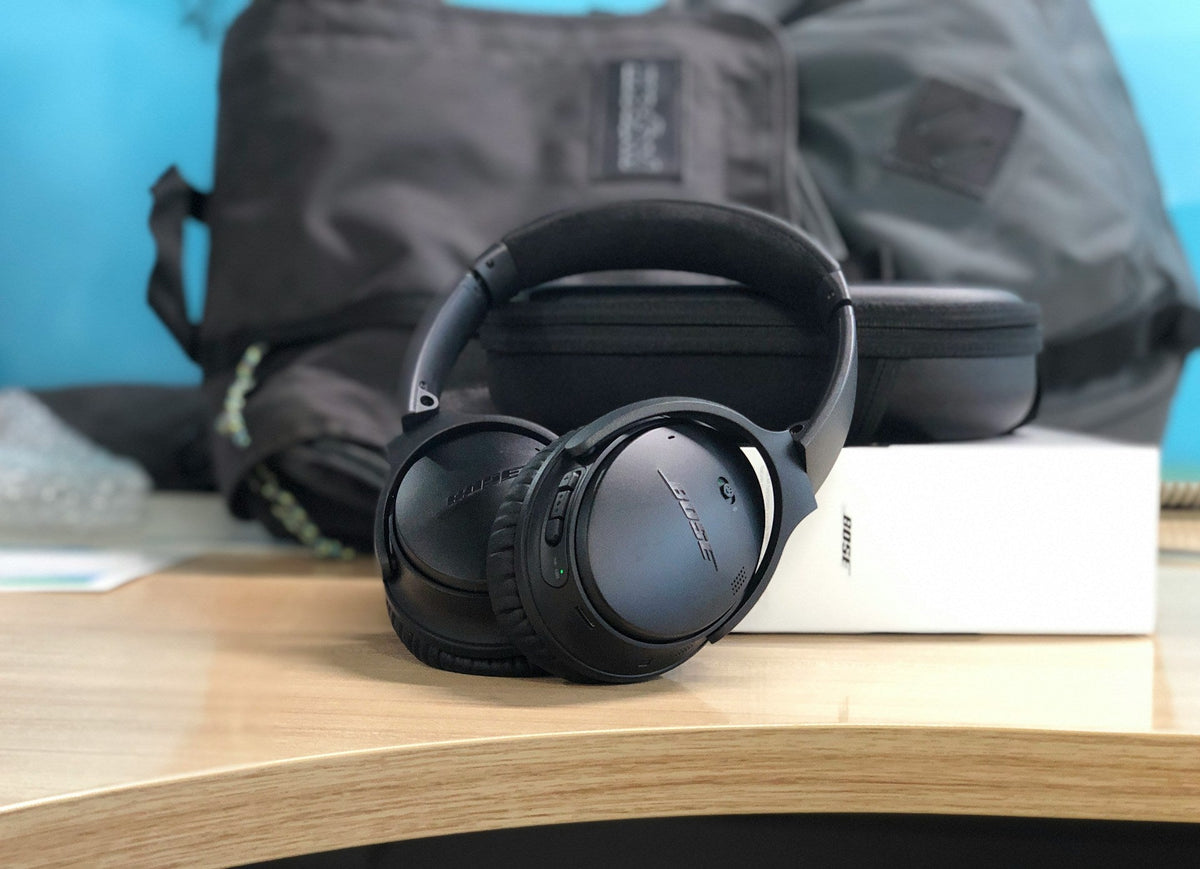
Stay Cool and Clear in Summer Cockpits With Bose A20 Parts
Hot August flights can be rough on both pilots and headsets, and summer is often when weak or worn parts on a Bose A20 finally show themselves. Even if the electronics are working perfectly, tired ear cushions, a flattened headband pad, or a worn mic cover can change how the headset feels and seals on your head in warm weather.
Centralsound focuses on replacement parts for headphones and headsets, including the Bose A20 aviation headset. Understanding how heat affects these parts helps you decide when to swap in fresh components like ear cushions, headband pads, mic covers, cables, and cases so your A20 stays comfortable and consistent all summer.
How Summer Heat Affects Your Bose A20 Ear Cushions
The Bose A20 relies heavily on its ear cushions to create a stable seal for passive noise reduction and to give the ANR a predictable environment to work with. In hot, humid cockpits, the surface of the cushions sees more sweat, sunscreen, and skin oils. On A20-style leatherette cushions, this usually shows up:
- Along the jawline, where sweat is heaviest
- Under the arms of eyeglasses or sunglasses
- Around facial hair or stubble, where the pad makes partial contact
When the cushion surface becomes slick or the foam inside has started to age, you might notice:
- More engine and wind noise than you normally hear with the same audio settings
- A soft "whoosh" when you move your jaw or smile
-
Louder sidetone or radios, because outside noise is leaking through the seal
These changes often point to the condition of the pads rather than an electronic ANR issue. Over time, summer flying physically wears the A20 cushions. Some clear signs it is time to replace your Bose A20 aviation headset ear cushions include:
- Foam that looks flat or "pancaked," especially on the lower edge of the cushion
- Leatherette that is cracked, flaking, or peeling at seams or corners
- A sticky or tacky surface that does not improve after light cleaning
- Cushions that feel slow to spring back after you press and release them
Once these symptoms appear, a new set of Bose A20-compatible ear cushions is usually the most direct way to restore comfort and seal.
Spotting Hotspots and Seal Loss That Point to Worn Parts
Summer heat makes any underlying fit problem more noticeable. Before you start the engine, a quick check can help you tell the difference between adjustment issues and parts that are simply at the end of their life.
Adjust the A20 headband so the earcups are centered over your ears. With ANR on, gently:
- Move your jaw like you are chewing
- Wiggle your glasses frames up and down and in and out
- Lean your head slightly forward, back, and side to side
Listen for sudden changes in noise or that "whooshing" sound when the seal breaks. Also pay attention to pressure points:
- Tenderness after a short flight
- Red marks that last more than 20 or 30 minutes
- One ear feeling much hotter, sorer, or noisier than the other
Patterns like one side always feeling tighter, or the bottom of both ears getting extra sore, often trace back to parts:
- Ear cushions that are compressed more at the bottom or back, so the plastic cup presses closer to your skin
- Headband pad foam that has thinned in the center, tilting the earcups and changing clamp pressure
When these symptoms persist after careful adjustment, they are strong indicators that replacing the ear cushions and/or headband pad on your Bose A20 will improve both comfort and seal, especially in hot weather.
After You Install New Bose A20 Ear Cushions: Summer Fit Checks
Once you have installed new Bose A20 aviation headset ear cushions, a focused fit check in warm conditions helps you get the most from the replacement parts.
1. Confirm Proper Seating
- Check that each cushion is fully locked onto its mounting ring.
-
Run a fingertip all the way around the joint between cushion and earcup to make sure there are no gaps.
2. Do a Short "Heat Test"
- In a warm room or cockpit on the ground, turn ANR on and wear the headset for 10, 15 minutes.
- Move your jaw, look around, and tilt the headset slightly on your head.
- Notice whether light sweat causes obvious seal breaks.
If small movements cause leaks or noise swings, re-check:
- Ear cushion seating on the mounting rings
- Left/right slider positions on the headband
- Clamp symmetry between sides
This is also a good time to evaluate other A20 comfort parts:
- A Fresh Bose A20 Headband Pad can spread pressure more evenly across the top of your head, helping you wear the headset at a height that gives both ears a stable seal.
- New Foam or Fabric Mic Covers on the A20 boom mic feel better against sweaty skin and reduce distraction around your mouth.
Centralsound offers these types of replacement parts so you can refresh multiple wear items at once instead of only changing ear cushions.
Summer Cleaning and Care to Extend Cushion Life
Summer flying does not have to destroy your cushions. Regular, gentle care goes a long way toward keeping Bose A20 ear cushions and headband pads in serviceable shape.
Before or between legs:
- Wipe around your ears and jawline with a clean cloth to remove sweat and sunscreen.
- Avoid letting hats or caps get between the cushion and your ear; if you use a thin cap or bandana, keep the fabric clear of the cushion sealing surface.
After each leg:
- Let the headset air out briefly instead of closing it immediately in a tight compartment.
- Wipe the cushions with a lightly damp, lint-free cloth to remove surface sweat and oils.
- Avoid harsh cleaners, alcohol wipes, or sprays that can dry and crack the leatherette or loosen seams.
- Allow the pads to dry fully before placing the A20 in a protective case.
Using a quality Protective Case for your Bose A20 helps shield cushions, headband pads, and cables from heat, UV, and accidental crushing between flights. This kind of basic care slows down the wear that leads to flattened foam and peeling covers, so you do not have to replace parts as often.
Checking Mic Covers, ANR, and Cables After Pad Replacement
New ear cushions can reveal other worn parts on an A20 that were previously masked by poor isolation. Once you regain a solid seal, older issues become easier to hear and diagnose.
Key checks after installing fresh cushions:
- Boom Mic Placement: Set the A20 mic at the corner of your mouth, not directly in front.
- Mic Cover Condition: Inspect the A20 windscreen or mic cover for tears, compression, hardened foam, or sweat saturation. A worn cover can make your voice sound harsh or sound inconsistent.
- Cable Behavior: With ANR on, gently move the cable along its length and at each strain relief. Listen for pops, crackles, or brief ANR dropouts.
If ANR cuts in and out when the cable is nudged, that usually points to a stressed or aging cable assembly rather than a cushion problem. Replacing the Bose A20-Compatible Cable restores consistent audio and power flow. If radio calls or intercom audio sound distorted even after you swap the mic cover, that can also signal cable wear.
Refreshing related wear items, ear cushions, headband pad, mic cover, and, when needed, the A20 cable, at the same time creates a more balanced experience. The headset feels newer, the seal is more stable in hot weather, and audio becomes more predictable from flight to flight.
Using Replacement Parts to Keep Your Bose A20 Summer-Ready
For pilots who fly frequently in hot months, it helps to think of the Bose A20 as a collection of wear parts rather than a single unit. The components most exposed to sweat and handling, ear cushions, headband pads, mic covers, and cables, are designed to be replaced when they show clear signs of aging.
Keeping a spare set of ear cushions and a backup mic cover in your flight bag or protective case means you can address comfort or audio issues quickly without waiting for a major failure. With the right replacement parts on hand, you can keep your Bose A20 aviation headset feeling cool, secure, and clear through many summer seasons without changing the core electronics.
Upgrade Your Flight Comfort And Focus Today
If your headset is starting to feel uncomfortable or your seal is not what it used to be, now is the perfect time to refresh your gear. At CentralSound, we make it simple to replace worn parts with high quality options like Bose A20 aviation headset ear cushions that help restore clarity and comfort in the cockpit. Explore our selection, and if you have questions about compatibility or installation, just contact us so we can help you choose the right solution.

Leave a comment
All comments are moderated before being published.
This site is protected by hCaptcha and the hCaptcha Privacy Policy and Terms of Service apply.