
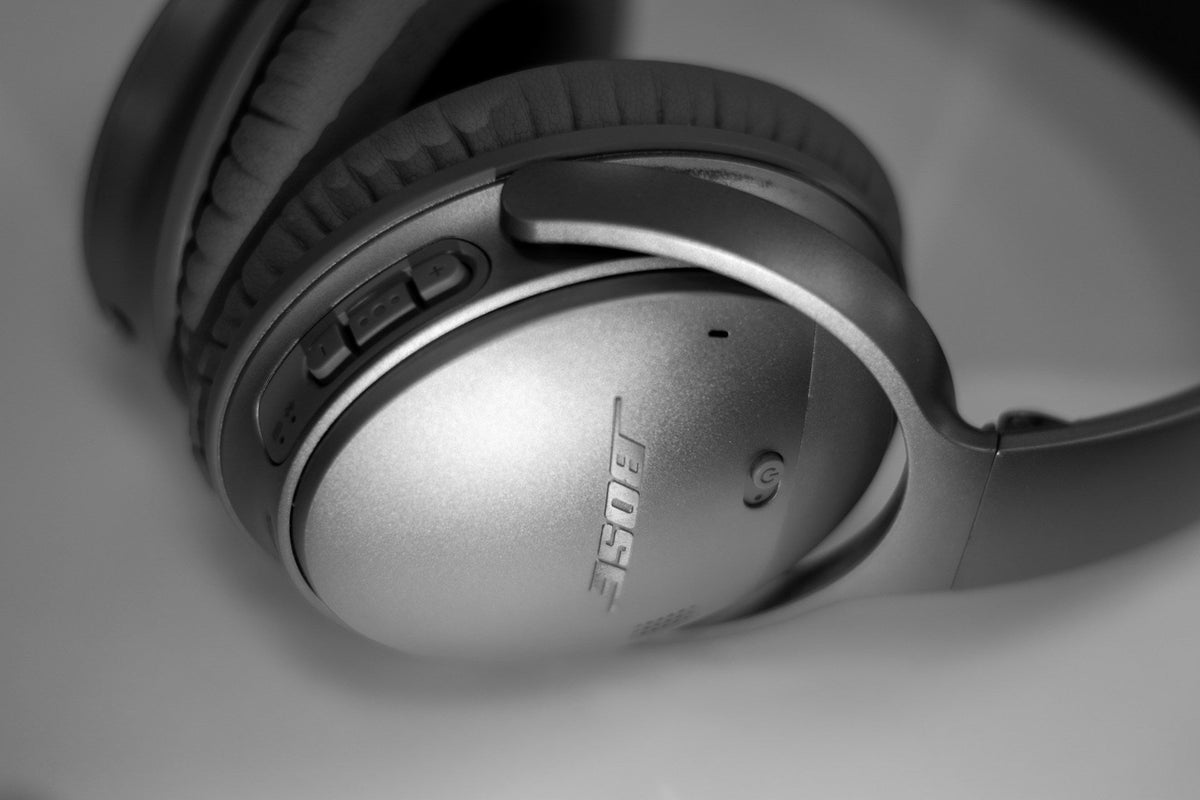
Stop Noisy Leaks: Why Ear Pads Matter on Bose 700
Good ear pads are a big part of why your Bose 700 headphones feel and sound so good. When those pads start to wear out, you may notice more outside noise, weaker noise-cancelling, and sore ears, especially during hot summer travel or crowded back-to-school commutes. All of that starts at the thin ring of foam and leatherette sitting between your ears and the drivers.
In this guide, we will walk through how to tell if your Bose 700 replacement ear pads are overdue, using three simple ideas: sound, seal, and fit. By the end, you will know how to listen for changes, how to spot leaks, and how to test comfort so you can decide if fresh pads are worth it before your next long trip.
At CentralSound, we focus on DIY-friendly parts, not repair services. That means our goal here is very specific: help you figure out when and why to replace Bose 700 ear pads, not talk about general headphone care or full repairs.
Reading the Sound: Audio Clues Your Pads Are Failing
Your ears usually notice sound problems before your eyes see worn pads. When Bose 700 pads start to break down, the sound character shifts in clear ways.
Common audio changes include:
- Bass that feels weak or less punchy at the same volume
- Mids that sound thinner, like voices moved a bit farther away
- Highs that feel extra sharp or tiring over time
- An overall hollow or roomy tone, almost like you are in a small room, not inside your own quiet bubble
This happens because the foam and cushion control the distance between the drivers and your ears. As the padding gets compressed or breaks down, that distance changes. The headphone tuning that was designed around fresh pads is now slightly off, so music, calls, and ANC no longer sound as balanced.
Try a simple listening test at home:
- Play a familiar song and compare left and right cups, lifting one side slightly, then switching, to hear if one pad is more worn than the other.
- Late at night, set a lower volume you normally enjoy and listen for extra hiss, fan noise, or street sounds that did not cut through before.
- Switch between a steady track and ANC with no audio, and notice if outside noise still sneaks in during "silence."
If these sound changes all showed up slowly over time, worn pads are a strong suspect.
Seal Check: How to Spot Leaks and Noise Intrusion
On over-ear headphones like the Bose 700, the ear pad seal is the front line against outside noise. The ring of the pad should sit flat against your skin all the way around your ear. That full contact helps the drivers, the padding, and the ANC system work together.
You can test the seal with a few simple checks:
- Play music or white noise, then gently press the cups toward your head. If bass suddenly jumps up or outside noise drops a lot, your normal seal is weak.
- Tilt your head forward, back, and side to side while audio plays and listen for sudden changes in bass or noise-cancelling.
- If you wear glasses, notice whether moving the arms slightly changes the seal and lets office chatter or street noise cut in.
- Pay attention on planes, trains, or busy buses. If the dull roar suddenly pushes through when you move your jaw or turn your head, that is a seal issue.
Visible warning signs often match what you hear:
- Flattened or uneven padding that no longer has spring
- Cracked or peeling surface material
- Exposed foam around the edges
-
Pads that twist, wiggle, or shift too easily on the cup
Once the seal is compromised like this, Bose 700 replacement ear pads are usually the cleanest fix.
Fit and Comfort Tests That Reveal Hidden Pad Wear
Fit changes can be sneaky because they happen bit by bit. At first, you may just feel a little more pressure, then suddenly a full workday with your headphones feels tough.
Subtle fit clues include:
- Headband pressure feeling stronger even when you have not adjusted it
- Sore spots on your jawline, especially under the ear
- The top of your ear brushing or pushing against harder plastic
-
Needing to readjust the cups more often during calls or study sessions
When the pads are healthy, Bose 700 headphones should feel like this: even cushion all the way around the ear, no hot spots, no hard edges touching skin, and a stable fit when you walk, work at a desk, or move between rooms.
Try a simple comfort diagnostic: wear the headphones for a full work block or a flight segment, at least 30 to 60 minutes. Then:
- Take them off and look for clear red marks or irritation that was not there before
- Notice if quick breaks no longer bring relief the way they used to
- Check whether one ear feels more sore, hinting that one pad is more compressed
If comfort has gone downhill while your use habits stayed the same, the ear pads are likely past their prime.
When to Replace vs. When to Clean Your Bose 700 Pads
Not every issue means you need new pads right away. Some problems are only on the surface and can be handled with simple care.
Cleaning is usually enough for:
- Sweat and skin oils after hot days or gym sessions
- Light odor that shows up after long travel
- Makeup marks or sunscreen transfer on the pad surface
For still-healthy pads, a quick routine helps slow down wear: wipe them gently after heavier use, do a deeper clean once a week during summer, and let them air out fully between long sessions so moisture does not stay trapped.
Replacement is smarter when you see structural problems such as:
- Foam that stays flat and does not spring back
- Torn seams around the inner or outer edge
- Loose or warped mounting rings that do not sit snugly on the cup
Clear triggers, Bose 700 owners often notice are:
- A big drop in ANC during daily commutes or flights
- Visible cracks showing up right before busy holiday travel
- New discomfort during long back-to-school study blocks or workdays
If sound, seal, and comfort are all slipping at once, cleaning is not going to bring the pads back.
Choosing and Installing Bose 700 Replacement Ear Pads
When it is time to replace, you want pads that match your Bose 700, not a random "close enough" part. A few key points to look for:
- Clear compatibility with Bose 700 headphones
- Pad thickness that is similar to the original design
- A soft outer material that feels comfortable for all-day listening
- A mounting system that matches the factory setup so the pads stay put
CentralSound focuses on DIY-friendly parts, so you can order the correct pads and pair them with other common wear items like cushions or cables if you need them, then handle the swap at home.
Before you install, it helps to look closely at product photos or video instructions that show how the pads attach and how the mounting ring should sit. After the new pads are on, run your own final checks:
- Listen for bass and overall sound that feels full and balanced again
- Press gently around each cup and confirm the seal stays stable
- Wear the headphones for a longer stretch and see if comfort and fit feel "right" again
When sound, seal, and fit all line up, you know your Bose 700 replacement ear pads are doing their job and your headphones are ready for whatever comes next.
Restore Comfort And Sound Quality To Your Bose 700 Headphones
If your cushions are worn out, you can refresh your listening experience today with our premium Bose 700 replacement ear pads. At CentralSound, we design our pads for a secure fit, all-day comfort, and consistent acoustic performance. If you have any questions about compatibility or installation, just contact us and we will help you get set up quickly.

Leave a comment
All comments are moderated before being published.
This site is protected by hCaptcha and the hCaptcha Privacy Policy and Terms of Service apply.